
Why is KYC Important on MEXC?
Know Your Customer (KYC) is a mandatory identity verification process designed to enhance account security and comply with international financial regulations. On MEXC, completing KYC is essential for:
- Increasing Withdrawal Limits: Verified accounts enjoy significantly higher daily withdrawal limits.
- Accessing Special Features: KYC is often required to participate in Launchpads, M-Day events, and other exclusive promotions.
- Enhanced Security: It provides an extra layer of protection, making it easier to recover your account in case of lost credentials.
Preparation: Documents You Need
Before starting the process, ensure you have one of the following valid documents ready:
- Identity Card (ID)
- Passport
- Driver’s License
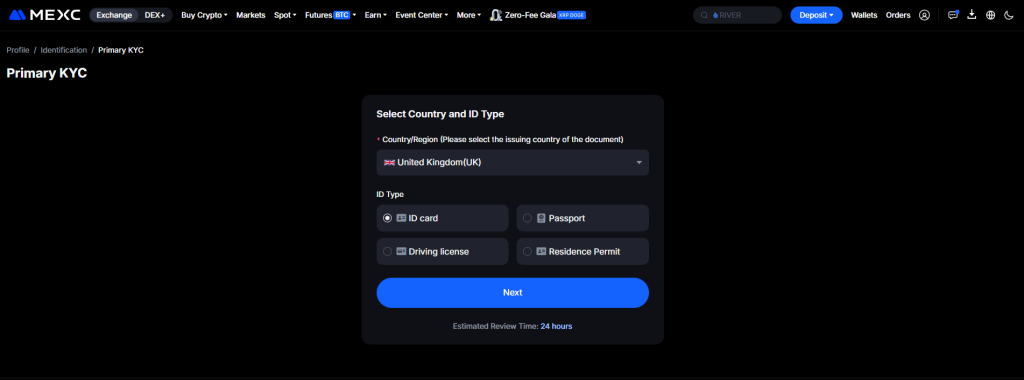
Note: Ensure your document is not expired and the information is clearly visible.
Step-by-Step Instructions for Primary KYC
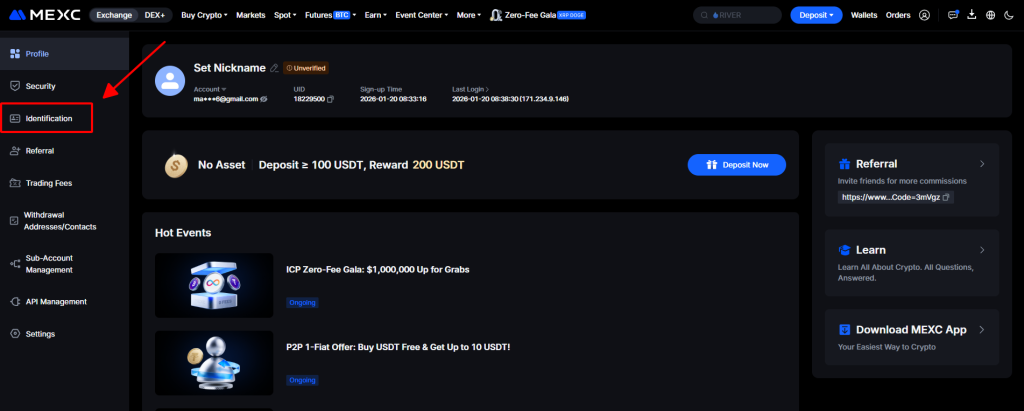
Step 1: Access the Identification Section
Log in to your MEXC account. Click on the Profile Icon in the top-right corner of the screen and select “Identification” from the dropdown menu.
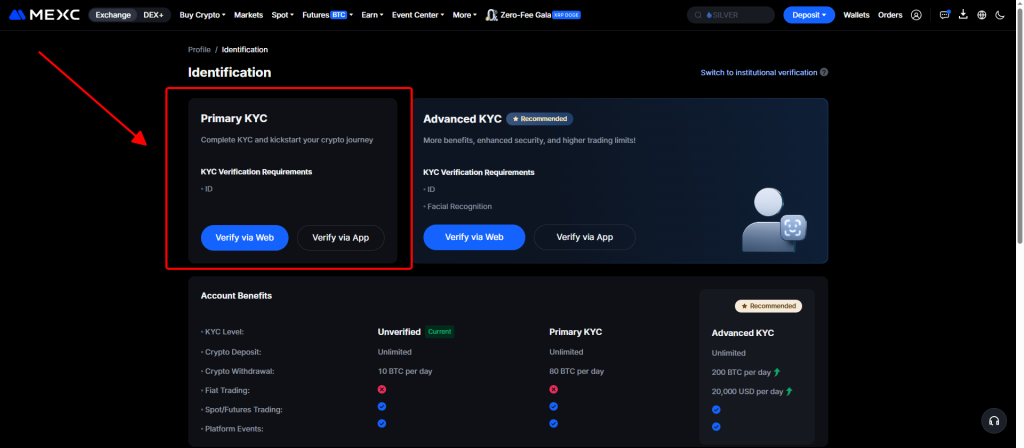
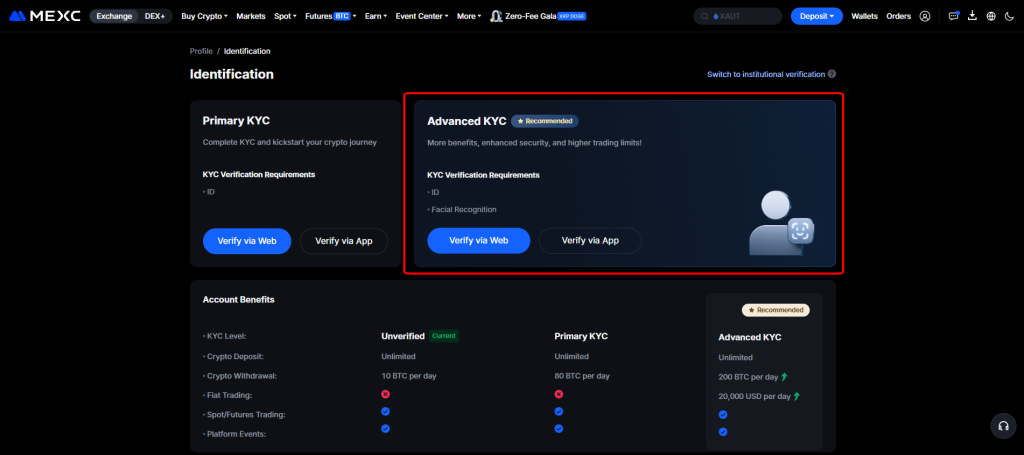
Step 2: Select Primary KYC
MEXC offers two levels of verification: Primary and Advanced. For most users, Primary KYC is sufficient. Click on the “Verify” button under the Primary KYC section.
Step 3: Fill in Personal Information
Select your nationality from the list. Enter your full name and ID number exactly as they appear on your document. Double-check for any typos before proceeding.
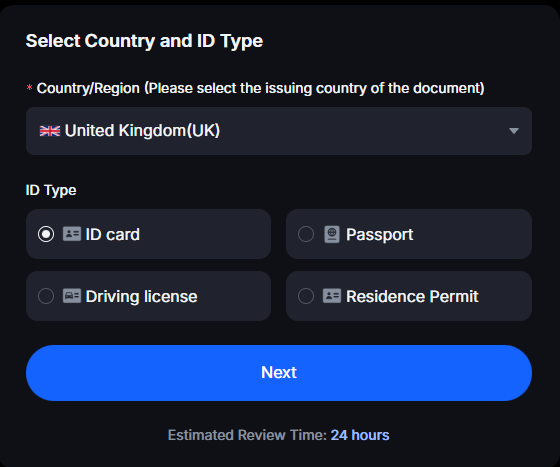
Step 4: Upload Document Photos
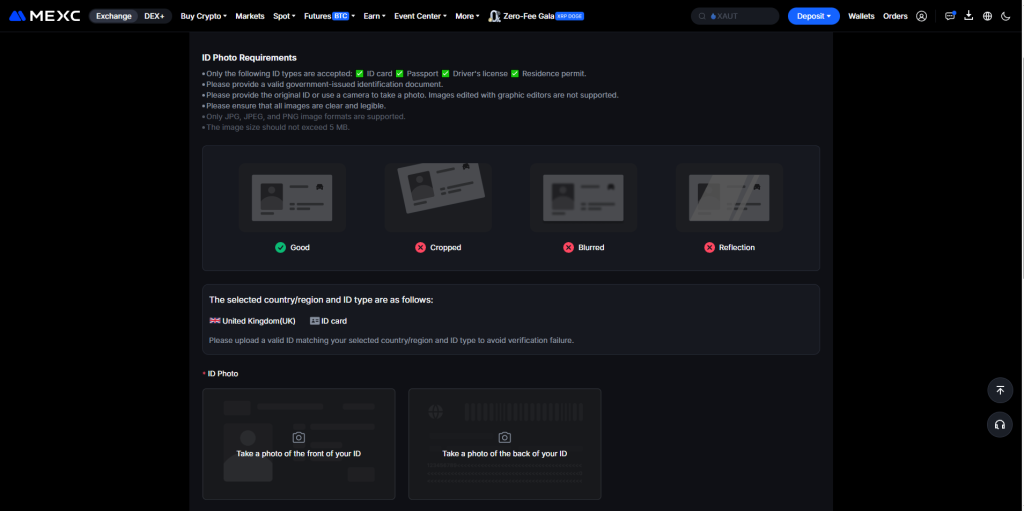
You will be asked to upload photos of your ID.
- Front View: A clear photo of the front of your document.
- Back View: A clear photo of the back of your document.
- Tip: Use a plain background and ensure there is no glare on the document.
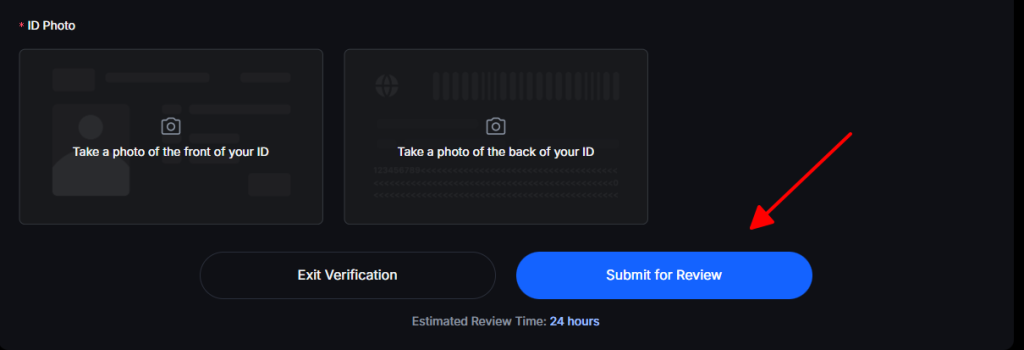
Step 5: Submit for Review
After uploading, click “Submit for Review.” The Primary KYC process usually takes anywhere from a few hours to 24 hours to be approved.
Step-by-Step Instructions for Advanced KYC
If you require even higher withdrawal limits or intend to use P2P trading extensively, you should complete Advanced KYC.
Step 1: Start Advanced Verification
Go back to the “Identification” page and select “Advanced KYC.”
Step 2: Facial Recognition (Biometrics)
Advanced KYC requires facial recognition. You can do this via your computer’s webcam or by scanning a QR code to complete it on the MEXC Mobile App.
- Follow the on-screen instructions: You may be asked to blink, turn your head, or nod.
Step 3: Final Submission
Once the facial scan is successful, your application is submitted. Advanced KYC review typically takes 24 to 48 hours.
Common Reasons for KYC Failure
To avoid delays, make sure to avoid these common mistakes:
- Blurry Photos: The text and photo on your ID must be sharp and readable.
- Expired Documents: Always use a currently valid ID.
- Lighting Issues: Avoid using flash, as it can create “hot spots” that hide important details.
- Information Mismatch: Ensure the name you typed matches the name on the ID perfectly.
Conclusion
Completing your KYC on MEXC is a straightforward process that significantly boosts your trading experience and security. Once verified, you can explore the full range of professional trading tools that MEXC has to offer.